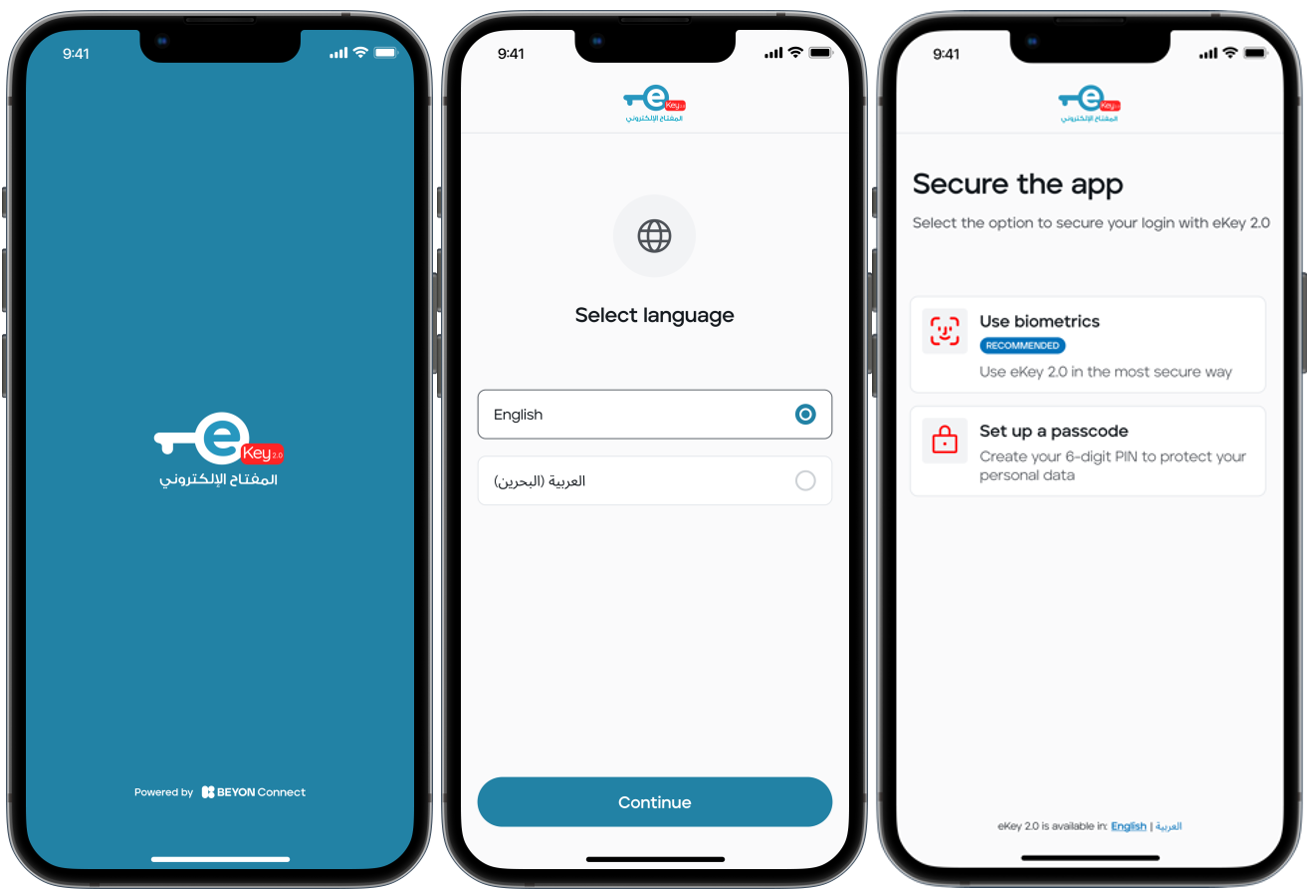
Enrolling in eKey 2.0 is effortless, and the application is user-friendly and self-explanatory. To enroll in eKey 2.0, simply follow these steps:
- Download the eKey 2.0 application from the official stores or eGovernment Apps Stores.
- Choose your preferred language (Arabic or English).
- Choose the way you want to secure your app, either using a passcode or biometric authentication (recommended).
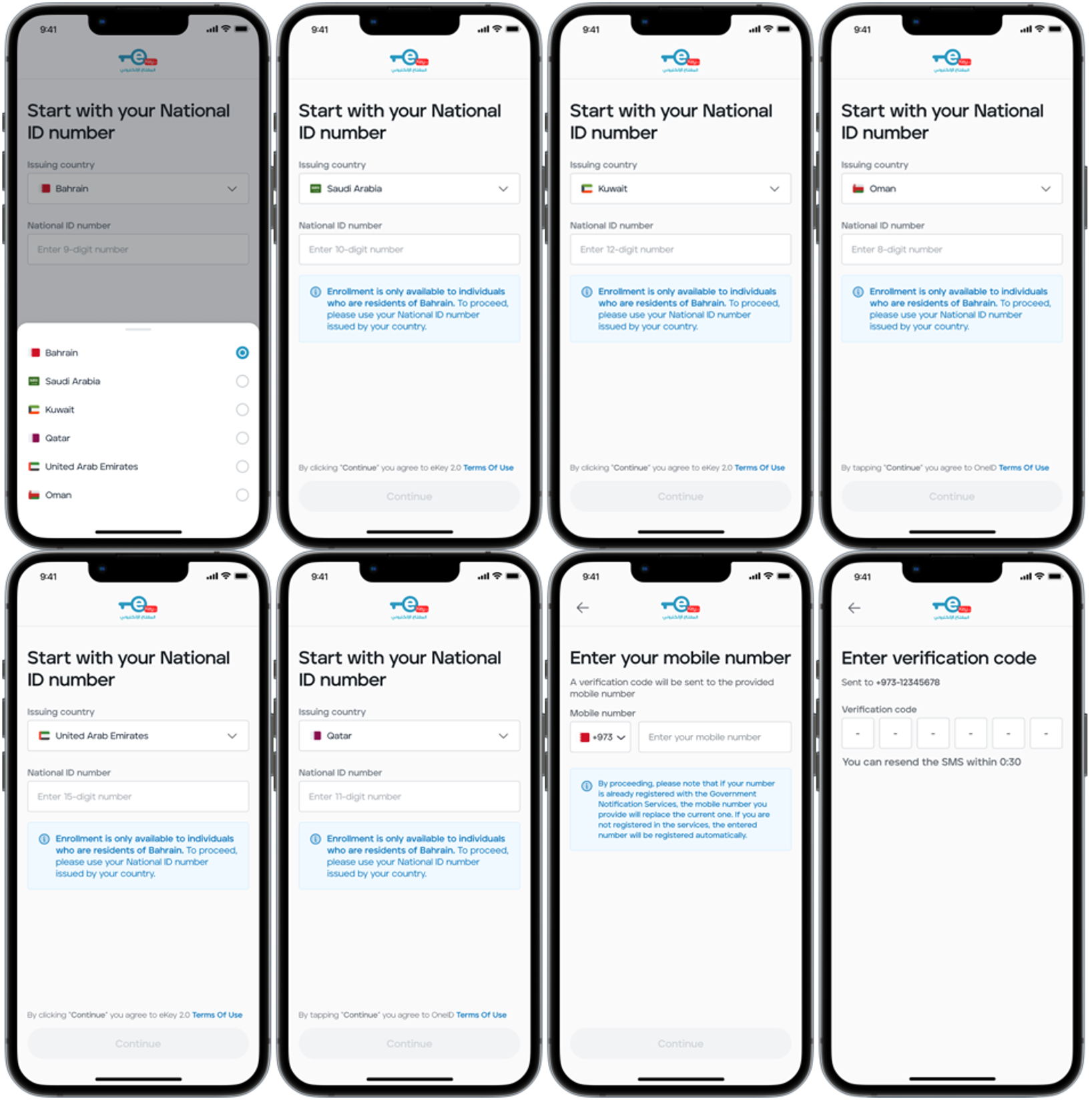
- Enter your Bahraini National ID number and press "Continue".
If you are a GCC citizen, you will be able to enroll using your GCC ID number by Choose the issuance country by tapping the flag icon the click on "Continue".
Note: This feature is available for GCC citizens only. GCC residents are not eligible for enrollment.
- Enter your mobile number.
- You will receive an OTP, which you need to enter to verify your mobile number.
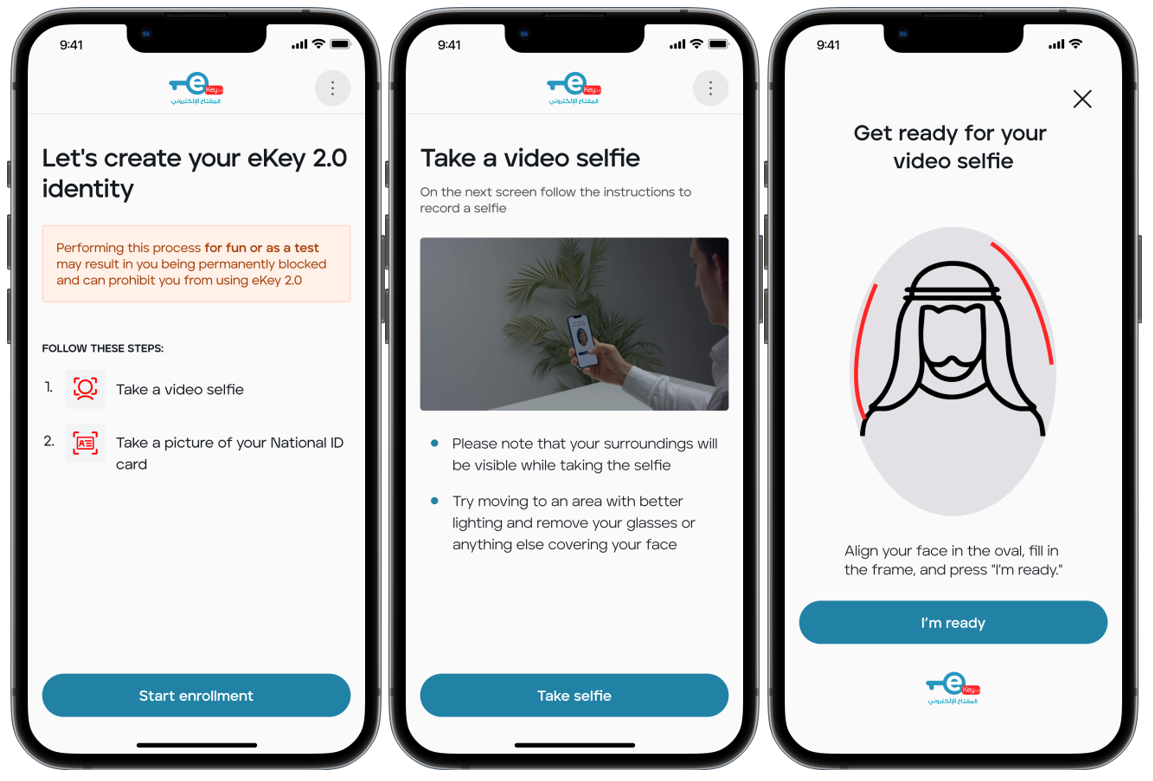
- You will see a tutorial video and instructions on how to take a selfie to enroll your identity. Make sure you are in a well-lit area, align your face within the oval, and remove any dark glasses or objects that may obscure parts of your face.
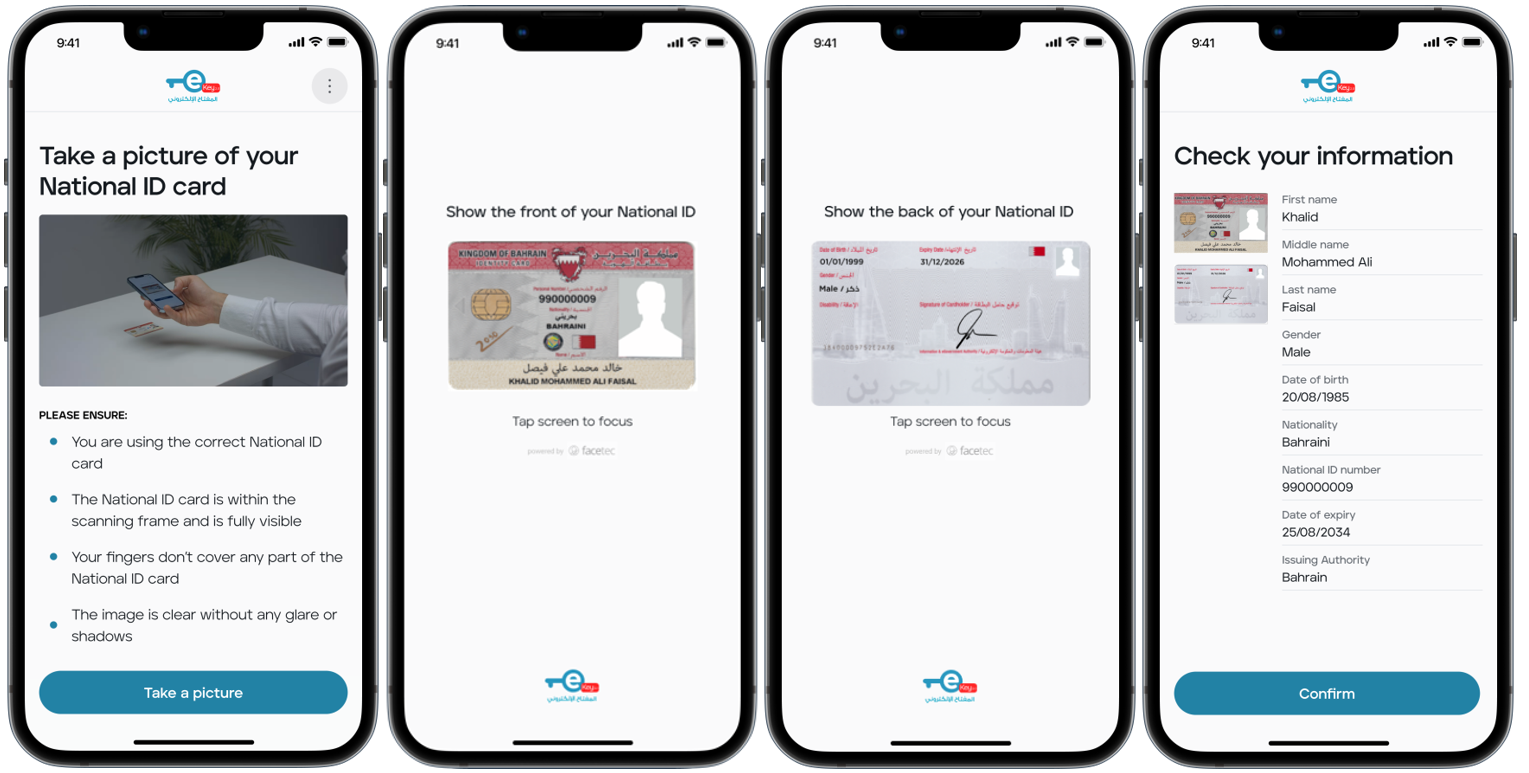
- The last step is to take a photo of the front and back sides of your national ID card. Ensure that the entire document is visible within the frame, with some space around it for optimal clarity. Avoid covering any part of the ID card with your hand while scanning. If necessary, we recommend using flash for better visibility.
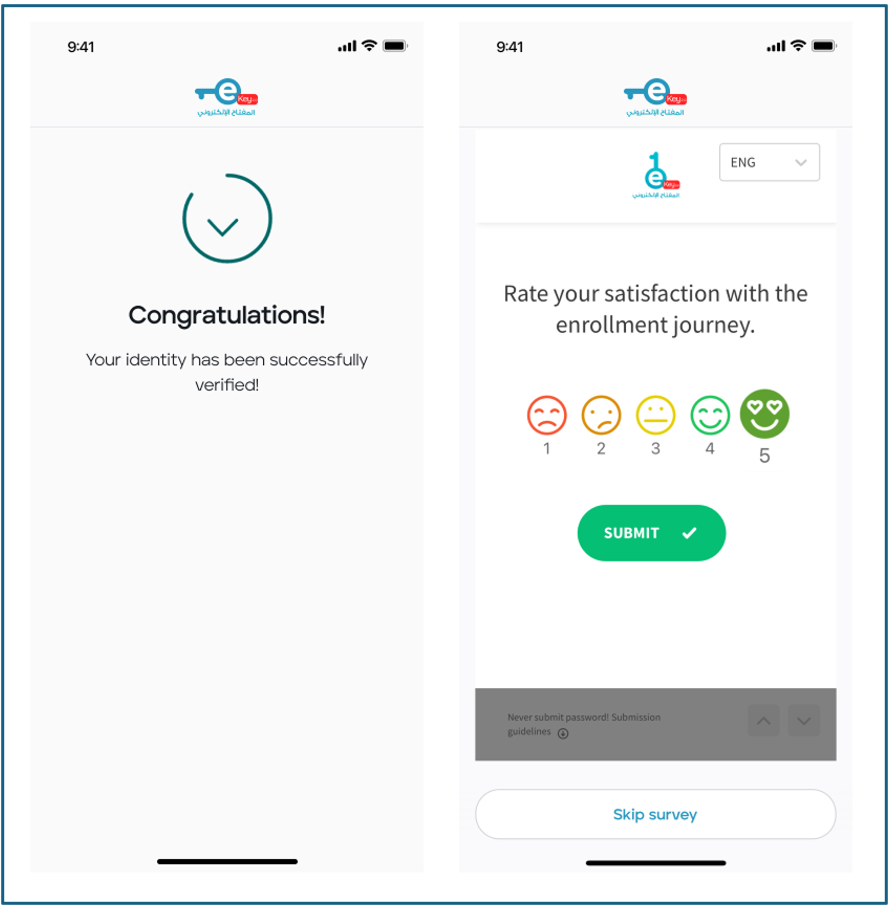
- Your eKey account has now been created, and your information has been verified against the Government database. All you need to do is confirm your identity card details, and you can start enjoying your secure digital identity.
Note: Existing users must complete the entire enrollment process if they switch to a different device or log out of the app. They will need to repeat all the steps outlined above so that they can recover their accounts.
- An optional post-enrollment survey will be triggered, to collect feedback from users after they complete the eKey 2.0 enrollment process.
Was this article helpful?
That’s Great!
Thank you for your feedback
Sorry! We couldn't be helpful
Thank you for your feedback
Feedback sent
We appreciate your effort and will try to fix the article