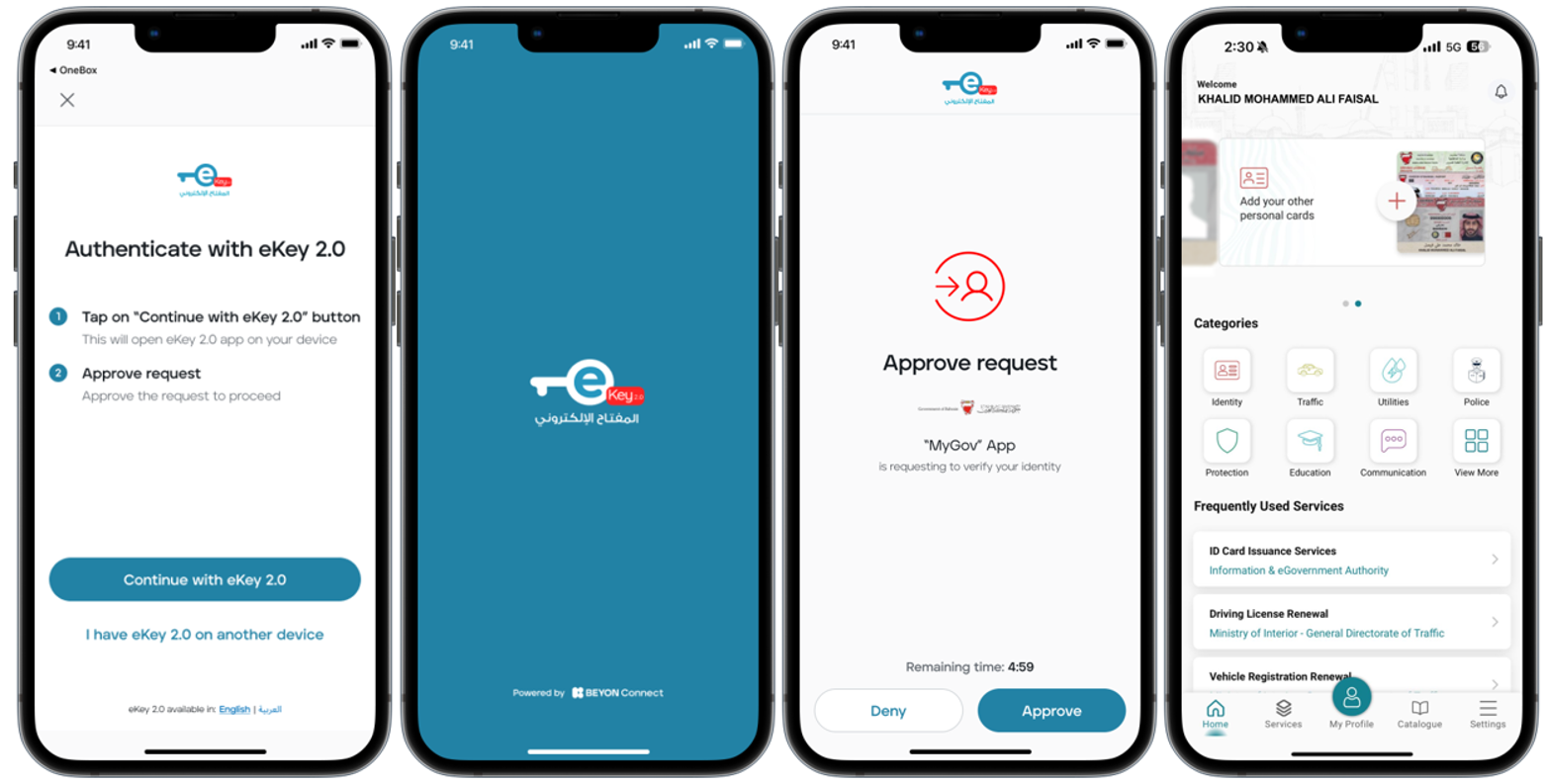
In this section, we will demonstrate how to use the eKey 2.0 App for authentication into another application. For illustration, we will be using the MyGov App as an example.
- To login to MyGov using the eKey 2.0 App, the user should open “MyGov" and click "Continue with eKey 2.0."
- The user will then be automatically directed to the eKey App to give consent by clicking "Approve" and performing the app security (pin code or biometrics). After this, the user will be automatically logged into MyGov App.
This login process will be the same for any other App linked with eKey 2.0.
Was this article helpful?
That’s Great!
Thank you for your feedback
Sorry! We couldn't be helpful
Thank you for your feedback
Feedback sent
We appreciate your effort and will try to fix the article